 /week free
A still photo and a few sentences of audio are now enough to produce a person who looks into the camera and talks. Talking AI avatars — a portrait driven by a voice track, with the mouth, eyes, and head moving in sync — have quietly crossed the line from gimmick to genuinely useful. They power faceless YouTube channels, multilingual product explainers, course intros, and UGC-style ads, all without filming anything.
The pipeline is simpler than it looks: get a good portrait, write a tight script, generate a voice, sync the lips, and polish. This guide walks through each step, the specific models that fit, what it actually costs, the use cases that perform, and the mistakes that drop a convincing avatar back into the uncanny valley. (All prices below are in Generor credits, where 100 credits = $1.)
What a talking avatar actually is
Under the hood, a talking-head model takes two inputs — a portrait image and an audio clip — and animates the face to match the speech. The good ones move more than the mouth: subtle blinks, micro head-tilts, and eyebrow motion are what separate "alive" from "puppet."
- Portrait in — one clear, front-facing photo of a real or AI-generated person.
- Audio in — a voice track, either recorded or AI-generated.
- Video out — a clip of that face speaking the audio, lip-synced and naturally animated.
That's the whole trick. Everything below is about getting each input right so the output holds up.
Step 1 — Get the portrait right
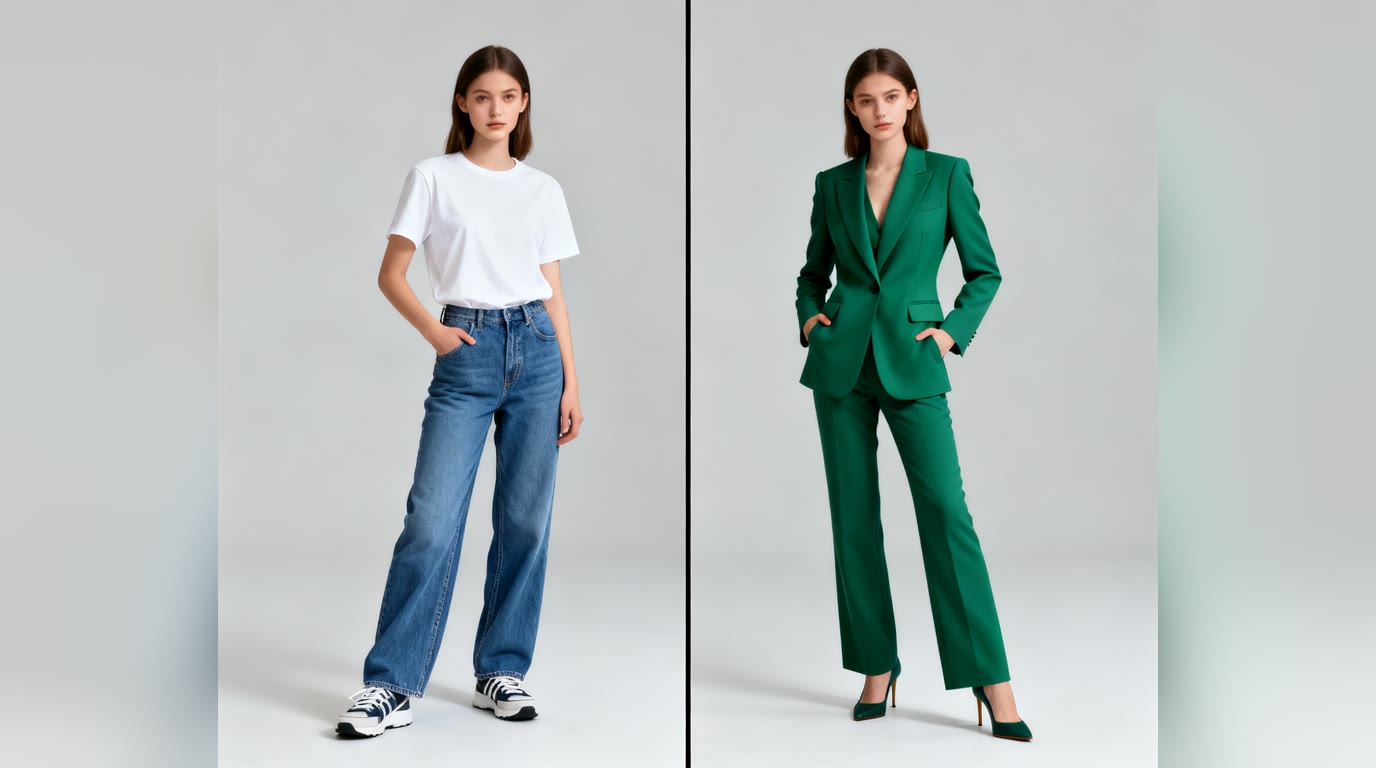
The avatar is only as convincing as the photo it starts from, and this is where most attempts quietly fail. Aim for:
- Front-facing and eyes open — the subject looking roughly at the camera. Heavy angles confuse the animation.
- Even, soft lighting — no harsh shadows across the face, no blown-out highlights. Flat light animates cleanly.
- Neutral or slightly-smiling expression — an extreme expression locks the whole clip into that look.
- A clean, simple background — busy backgrounds can warp as the head moves.
You have three ways to source it. Use a real photo of yourself; generate a consistent real-you portrait with the reference-photo method in How to Put Yourself in an AI Image Generator; or create a brand-new synthetic face from scratch. For a fully invented spokesperson, a flagship image model like Flux 1.1 Pro Ultra or GPT Image 1.5 (about 12 credits / $0.12 an image) gives the most realism, while Z-Image Turbo (around 1–3 credits / $0.01–0.03) is perfect for cheap iteration. The portrait generator and selfie generator are tuned for exactly this; any image generator prompt works as long as it meets the checklist above.
Step 2 — Write a script that fits the format
Talking-avatar clips live or die in the first three seconds, same as any short video. Write for the ear, not the page:
- Open with the hook — the payoff or question first, never a slow throat-clear intro.
- Short sentences — they sync better and sound more natural than long, clause-heavy ones.
- Read it aloud — if you stumble saying it, the avatar will too. Cut anything that trips the tongue.
- Mind the length — most talking-head tools are happiest with clips up to a minute or two; for longer scripts, break them into segments and stitch.
Stuck on the words? Draft and tighten the script with a chat model first — it's the cheapest place to fix a clip, before any audio or video is generated.
Step 3 — Generate the voice
The voice carries more of the believability than the visuals do — people forgive imperfect lips long before a robotic, flat delivery. Your options:
- AI voice (most flexible) — generate narration from your script with a high-quality model. ElevenLabs is expressive and multilingual (which is what makes the same avatar work across languages); Hume adds emotional range; Deepgram voices are fast and economical. Pricing is per character — roughly 20 characters per credit on ElevenLabs — so a typical 400-character (~25-second) script costs about 12–20 credits ($0.12–0.20). Try them in the voice generator.
- Your own recording — record the script yourself for maximum authenticity, then drive the avatar with that track. Free, and best when the personal touch matters.
- Voice cloning — clone a consenting voice once, then generate unlimited new lines in it. Powerful for series and updates; only ever with explicit permission.
Whatever you choose, keep the audio clean — no background noise, consistent volume. The lip-sync follows the waveform, so a noisy track produces twitchy, distracted mouth movement.
Step 4 — Sync the lips
This is the step that turns a photo and an audio file into a talking person. Feed both into a talking-head or lip-sync model and it generates the animated clip. Two routes:
- Talking-head generation — give it a portrait plus audio and it animates the whole face, including natural head and eye motion. The talking-head generator handles this end to end at 16 credits/second for 480p and 30 credits/second for 720p — so a 30-second avatar runs about 480–900 credits ($4.80–$9.00) depending on resolution.
- Lip-sync onto existing video — already have footage and just need the mouth to match new audio (a translation, a re-record)? A dedicated lip-sync tool re-animates only the mouth on real video. PixVerse Lipsync runs about 8 credits/s, Sync Lipsync 2 about 10 credits/s, and Sync Lipsync 2 Pro about 17 credits/s — roughly $2.40–$5.10 for a 30-second clip.
Generate a short test first — ten seconds — before committing the full script. It's far faster (and cheaper) to catch a stiff result early than to re-run a two-minute clip.
What a full avatar actually costs
Put the steps together and a finished 30-second talking avatar, built from scratch, lands around $5–$9 — the lip-sync is almost the entire bill, and the portrait and voice are rounding error:
Example: a 30-second talking avatar from scratch (100 credits = $1)
| Step | Model | Cost |
|---|---|---|
| Portrait (one image) | Flux 1.1 Pro Ultra | 12 credits ($0.12) |
| Voice (~400 characters) | ElevenLabs | 20 credits ($0.20) |
| Talking head, 480p (30s) | Talking-head generator | 480 credits ($4.80) |
| Talking head, 720p (30s) | Talking-head generator | 900 credits ($9.00) |
The takeaways: iterate on the portrait and script while they're cheap, only commit to the lip-sync once you're happy, and start at 480p for drafts. A 10-second test clip costs well under a dollar, so there's no reason to gamble a full render on an untested script.
Step 5 — Polish
A few small passes separate "obviously AI" from "good enough to ship":
- Add captions — most short-form is watched on mute, and captions lift retention regardless.
- Layer light background music — a quiet bed smooths over any audio stiffness and adds production polish.
- Cut the dead air — trim the silent beats at the start and end so the hook lands instantly.
- Frame for the platform — vertical for TikTok, Reels, and Shorts; horizontal for YouTube and embeds.
What talking avatars are actually good for
- Faceless channels — a consistent synthetic host lets you publish on camera without ever being on camera.
- Multilingual versions — generate the voice in five languages and lip-sync the same face to each. One avatar, many markets, for a few dollars apiece.
- Course and product explainers — a friendly talking host is warmer than slides-with-voiceover, at a fraction of the cost of filming.
- UGC-style ads — quick spokesperson clips for testing ad creative at volume.
- Personalized outreach — scale a talking intro across a list without recording each one by hand.
The honest limitations (and the ethics)
Avatars are convincing now, but they aren't magic. Big, fast head movements still trip up the animation; very long monologues can drift; and extreme expressions rarely look right. Work with the tool's strengths — calm, direct, well-lit delivery — and it holds up.
The bigger point is responsibility. Only ever make a talking avatar of someone with their clear consent — putting real words in a real person's mouth without permission is how you end up in a deepfake problem, not a content workflow. For commercial use, label AI-generated spokespeople where your audience or platform expects it; trust is worth more than the trick. And if you're wondering who owns the result, Who Owns AI-Generated Content? covers the 2026 picture.
Put it together
The whole pipeline — portrait, script, voice, sync, polish — can run start to finish in software in well under an hour once you've done it once, for the price of a coffee. Start with a clean front-facing portrait, write a script you can say out loud, generate a clear voice track, and run it through the talking-head generator. Your first avatar won't be perfect; your third will be good enough to publish.